Sign in to view your quiz results.
Select all items under Course Developer Area (choose every correct answer).
Match each admin item to its purpose.
Match each item on the left
Available matches
Guides
Drop match here
Documentation
Voucher codes
Drop match here
Access control pairs
Put these steps in order to publish a curriculum.
Drag items to reorder from top (first) to bottom (last).
- Enroll learners
- Publish the curriculum
- Build the pathway tree
The product name is ____ and curriculums are managed under ____.
Word bank — drag items into the blanks above
- EnterpriseLMS
- Course Developer Area
What is the settings page slug that contains the Import tab?
Describe how you would onboard a new client using EnterpriseLMS.
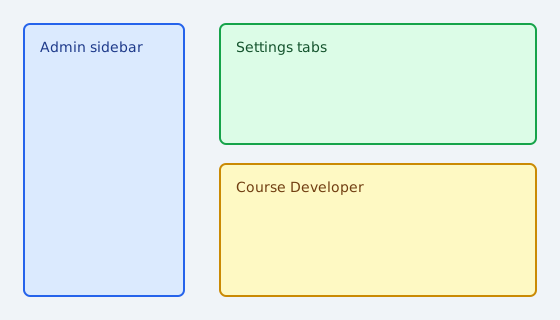
Drag each label to the correct area.
Admin sidebar
Drop here
Course Developer
Drop here
Label bank — drag items onto the image above
- Curriculums
- Guides
Select the correct region (demo coordinates).
Click regions to select or deselect your answer.
How many content levels are in the pathway tree from pathway down to quiz (not counting curriculum or question)?
If x=4 and y=3 what is x+y?
Use [[g1]] and [[g2]] columns to link rows in learning.csv.
Rate your confidence using the Import tool.
| 1 | 2 | 3 | 4 | 5 | |
|---|---|---|---|---|---|
| Import is easy to understand | |||||
| Export round-trip is clear |
Each row needs external_id, parent_external_id, level, and title.
Each row needs external_id, parent_external_id, level, and title.
Match each settings area to its tab.
| General tab | Import tab | |
|---|---|---|
| Global settings | ||
| Learning import |
Upload your completed learning.csv for review.
Record a short audio reflection on EnterpriseLMS.